One commit per sync, not one per note
It writes through GitHub’s Trees API rather than shelling out to git, so a session that touched thirty notes lands as a single new HEAD — which is exactly one pull on the phone.
Basalt puts the Obsidian vault you keep in a GitHub repo on your phone — fully offline, and writable. Capture the thought on the bus, and it lands in your repo as a real commit when the signal comes back. One vault, plain markdown, yours forever.
Free and MIT-licensed · No account with us, ever · Try the bundled sample vault with no repo at all
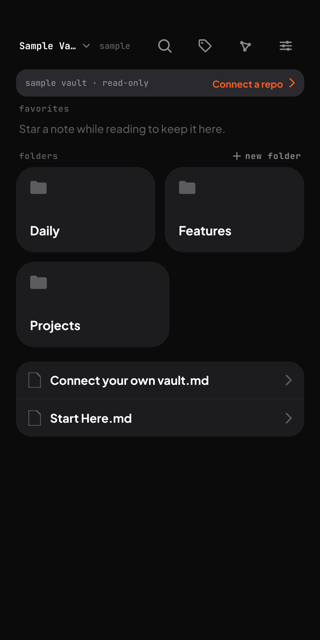
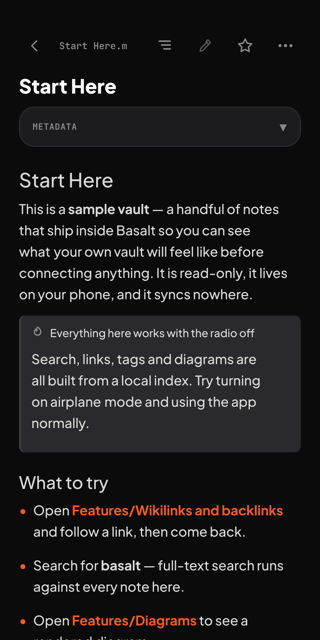
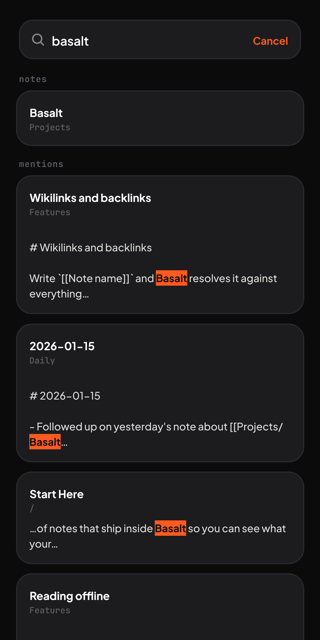
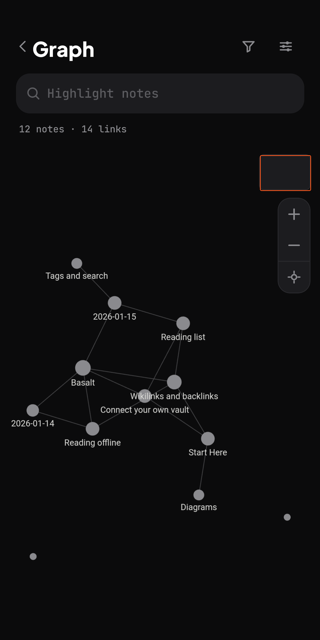
Real captures, not renders — taken on the bundled sample vault with the network off, which is exactly what you get before connecting a repo.
Nobody keeps their notes for a decade because they found a cleverer app. They keep them because of what the notes are made of, and where they live.
Plain markdown in a repo you own. No proprietary store, no account with us, no export step to dread later — Basalt keeps no server and no copy of your vault anywhere but your device.
The same folder on the desk and in your pocket. Obsidian writes it, Basalt writes it, and the repo underneath keeps them honest — so there is never a second place your notes half-live.
Which is almost never at the desk. Basalt edits offline on the phone and queues the commit; it lands the moment you have a connection again. No connection, no lost thought.
Every save is a real commit to your repo. The whole history is one git log away, on something you can clone onto any machine you will ever own.
“The 1%” is a standard, not a statistic. We have not counted anyone — those four lines are the whole of it, and the first two are just Obsidian and git doing their job. Basalt exists because the last two are the ones that break on a phone.
This is not a replacement for Obsidian and it is not trying to be. It is the missing third of a loop you probably already run — the part that works when you are nowhere near a laptop.
The long sessions. Plugins, canvases, the heavy restructuring you only do sitting down.
The spine. Plain markdown, full history, one clone away from any machine — and no third party in it.
The other twenty-three hours. Read, search, link and write from the phone, online or not.
Basalt already owns the right-hand side of that diagram — it watches HEAD and pulls when the SHA moves. The missing piece was a desktop publisher, because Obsidian cannot push a vault to a repo by itself. Basalt Causeway is our plugin for exactly that, and nothing else.
It writes through GitHub’s Trees API rather than shelling out to git, so a session that touched thirty notes lands as a single new HEAD — which is exactly one pull on the phone.
Notes you write in Obsidian reach the phone; the commits Basalt pushed from your pocket come back down into the vault. Sync manually, or let it publish after a five-second settle.
Every file in the vault ships, because images are half of what makes a note render right on a phone. .obsidian/, .trash/ and .git/ are excluded before anything reaches the tree builder.
A dataview block holds a query, not a result, so it would reach the phone empty. The plugin bakes the rendered table into the published copy and leaves the live query in your note.
Divergence is reported, never guessed at. There is no merge machinery: if both sides edited the same note, your local file is left untouched and the remote copy lands beside it as a .conflict-<sha>.md sidecar for you to settle. Your token stays on your machine and goes nowhere but GitHub — no server of ours sits in this loop either.
Desktop and Obsidian mobile · Install via BRAT from kpndevroot/obsidian-basalt-causeway · Needs a fine-grained token with Contents: read and write
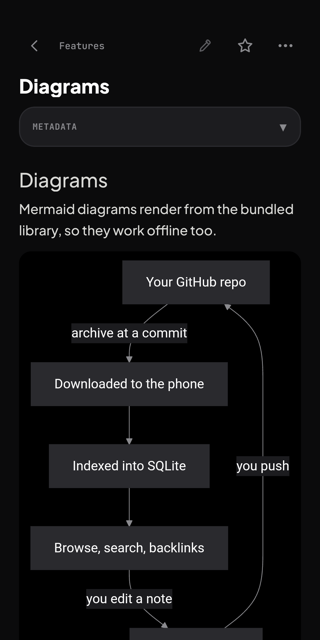
Every sync is the same round trip — and note bodies never leave your disk. Only what Basalt needs to find things lives in the database.
Basalt fetches your repo as a zipball pinned to an exact commit SHA — the whole vault in one request.
The snapshot is swapped in atomically, then files, an FTS5 full-text index, the link graph and tags go into SQLite.
Note bodies stay on disk and render natively. Edit any of them with the network off — the queue holds your changes.
Queued edits go up as real commits to your branch. Review them first, and resolve it yourself if the remote moved on.
Rendered natively, indexed on-device, and none of it waiting on a network round trip.
After the first sync the network is optional. Browsing, search, wikilinks, tags and the graph all work on a plane, on the tube, or on no signal at all.
A full markdown editor with an insertion toolbar for the symbols that hurt to type on a phone. Edits queue locally and push as real commits later.
A pending-changes screen shows exactly what will be committed. If GitHub moved on first, resolve it your way — overwrite, discard, or keep both copies.
SQLite FTS5 indexes every note at sync time, ranked with the matching snippet highlighted — plus a fuzzy quick switcher for jumping straight by name.
[[wikilinks]] resolve on-device the way you expect, the reverse edges are indexed, and every note ends with a list of what points back at it.
The whole vault as a graph, with filters, search and a minimap — or scoped to the neighbourhood of the single note you are reading.
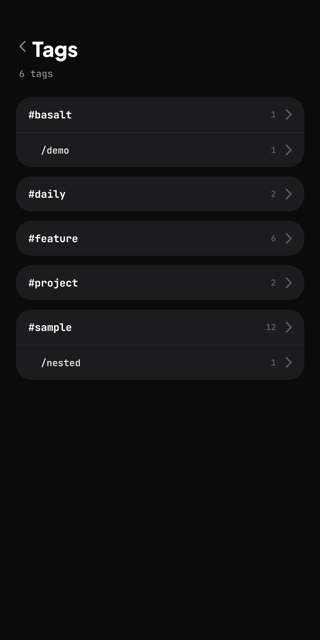
Callouts, transclusion, footnotes, ==highlights==, frontmatter, tags, tables, fenced code and Mermaid diagrams — rendered, not printed as raw syntax.
Task lists are tappable straight from the page, and a dated checklist draws itself as a month calendar — which is all a habit tracker ever needed to be.
Mark a passage, export the set, and find your marks still on the right words after the note has been edited somewhere else and pulled back down.
Point Basalt at the vault you already have, sync once, and carry all of it — readable, searchable and writable — with the network off.
Android arm64, signed and attached to every release. iOS builds from source.